Stable Diffusion LoRA Fine-Tuning
Fine-tuning Stable Diffusion with LoRA technique to generate personalized images
Stable Diffusion LoRA Fine-Tuning
This project uses the LoRA (Low-Rank Adaptation) technique to fine-tune Stable Diffusion v1.5 model with a custom dataset. The model has been trained on dog images and can generate personalized images using the "sks dog" trigger word.
Quick Start
You can start using the trained model right away:
from diffusers import DiffusionPipeline
import torch

pipe = DiffusionPipeline.from_pretrained(
    "stable-diffusion-v1-5/stable-diffusion-v1-5",
    torch_dtype=torch.float16
).to("cuda")

pipe.load_lora_weights("erdoganeray/finetune-demo")

image = pipe("a photo of sks dog wearing sunglasses").images[0]
image.save("output.png")
Hugging Face Model: erdoganeray/finetune-demo
Features
- Efficient Training: Only 0.5-1% parameter training with LoRA
- Small Model Size: ~3MB LoRA adapter (instead of ~4GB full model)
- Easy to Use: Step-by-step training with Jupyter notebook
- Hugging Face Compatible: Model can be directly uploaded to Hub
- Detailed Monitoring: Loss graphs and checkpoint mechanism
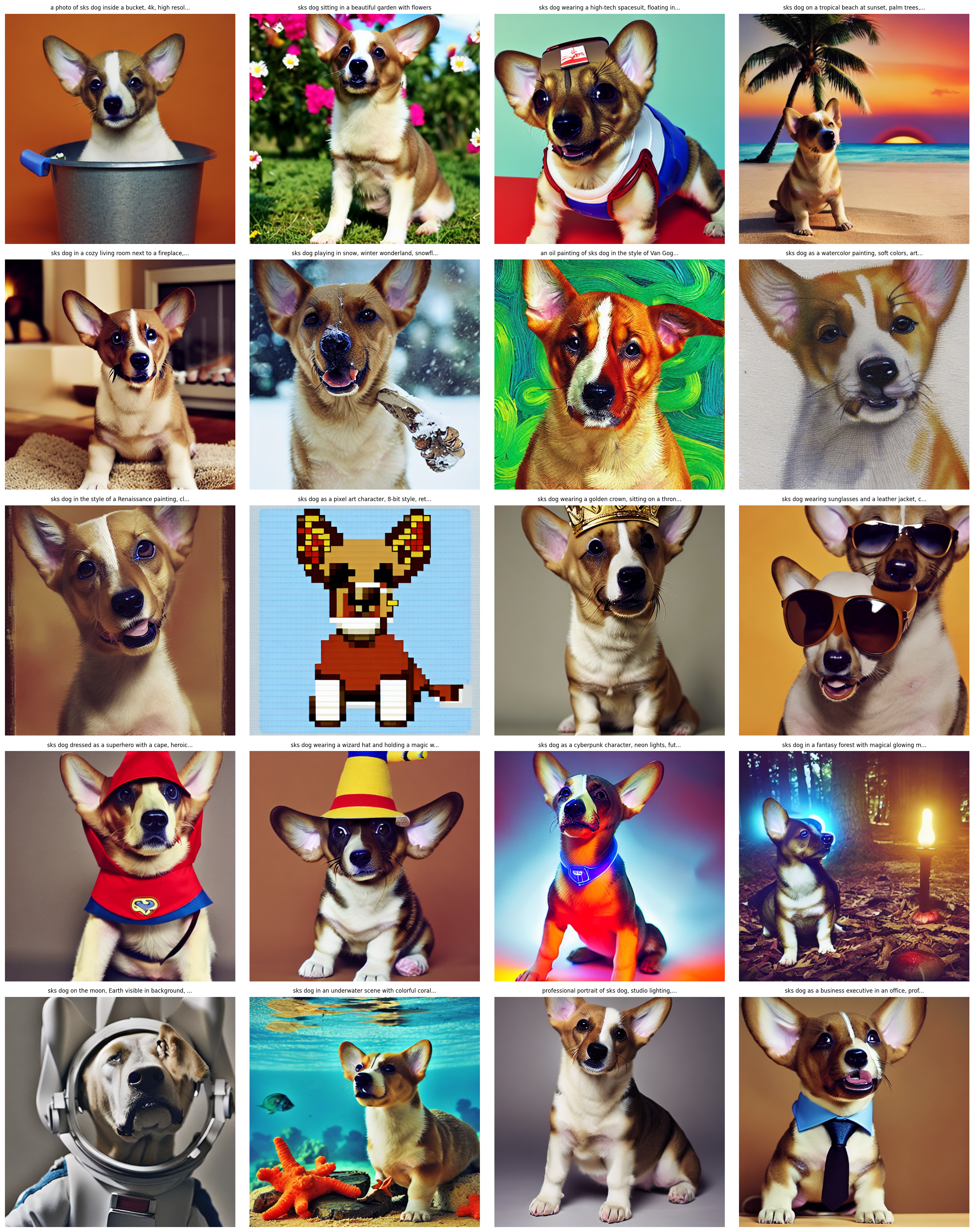
- Various Test Prompts: 20 different styles and scenarios
What is LoRA?
LoRA (Low-Rank Adaptation) is a technique that allows us to fine-tune large models efficiently. Instead of updating all model weights:
- Freezes the original model weights
- Adds small "adapter" matrices to specific layers
- Trains only these adapter matrices
Advantages:
- ~99% less trainable parameters
- Much faster training
- Very small model files (~3MB vs ~4GB)
- Can be easily combined with other LoRAs
Model Architecture
Base Components
| Component | Model |
|---|---|
| Base Model | Stable Diffusion v1.5 |
| Text Encoder | CLIP ViT-L/14 |
| VAE | AutoencoderKL |
| UNet | 2D Conditional UNet |
LoRA Configuration
LoraConfig(
    r=32,                    # Rank (capacity)
    lora_alpha=64,           # Scaling factor (rank * 2)
    lora_dropout=0.05,       # Regularization
    target_modules=[         # Attention layers
        "to_k", "to_q",
        "to_v", "to_out.0"
    ]
)
Trainable Parameters: ~3.1M / 860M (0.36%)
Training Details
Hyperparameters
| Parameter | Value | Description |
|---|---|---|
| Epochs | 300 | Total training cycles |
| Learning Rate | 5e-5 → 5e-6 | Cosine annealing |
| Optimizer | AdamW | With weight decay |
| Batch Size | 1 | 1 random image per epoch |
| Gradient Clipping | 1.0 | For stability |
| Image Size | 512×512 | Standard SD size |
| Augmentation | Yes | Flip, ColorJitter |
Data Processing
Augmentation Pipeline:
- Random Horizontal Flip (p=0.5)
- Color Jitter (brightness, contrast, saturation: 0.1)
- Normalization (mean=0.5, std=0.5)
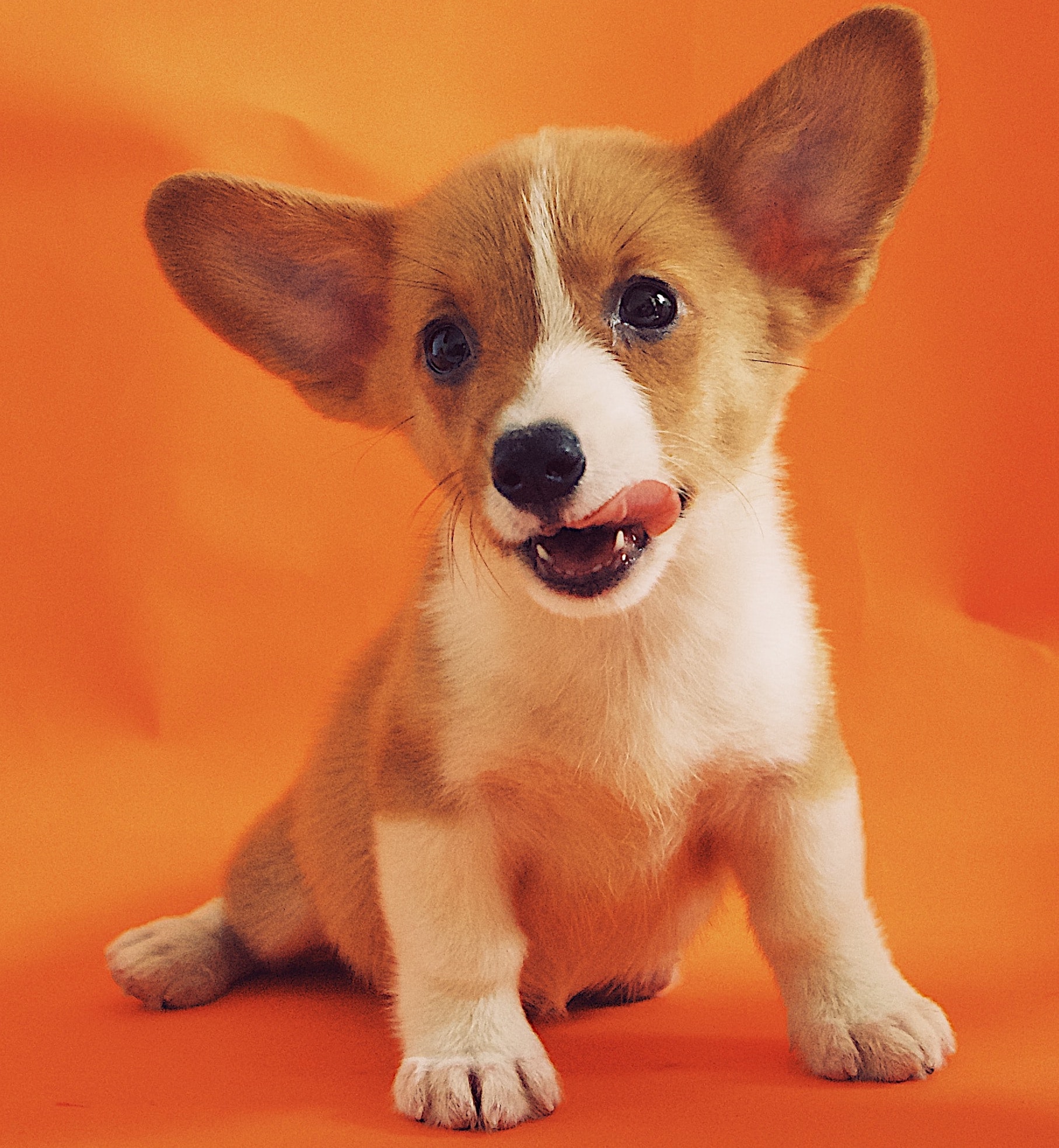
Dataset: diffusers/dog-example (~5 dog images)
Training Dataset Examples
The model was trained on a small dataset of dog images:

Results
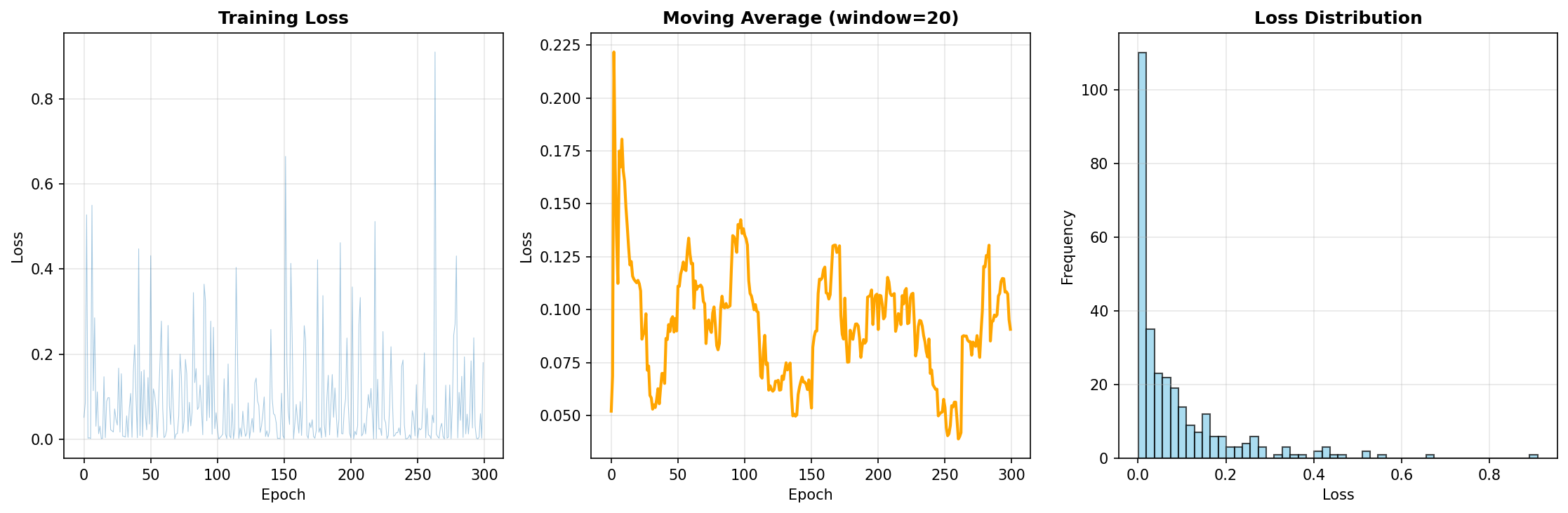
Loss Metrics
| Metric | Value |
|---|---|
| Final Loss | 0.1804 |
| Average Loss | 0.0876 |
| Min Loss | ~0.05 |
Observations:
- Loss values decreased steadily
- No signs of overfitting
- 300 epochs provided sufficient convergence
Benchmark
| Metric | Value |
|---|---|
| Training Time | ~45 minutes (T4 GPU) |
| Model Size | 3.2 MB (LoRA) |
| Inference Time | ~5 seconds/image (50 steps) |
| VRAM Usage | ~8 GB (fp16) |
Training Loss Graph
Usage Examples
Method 1: Using from Hugging Face (Recommended)
from diffusers import DiffusionPipeline
import torch

# Load pipeline and add LoRA adapter
pipe = DiffusionPipeline.from_pretrained(
    "stable-diffusion-v1-5/stable-diffusion-v1-5",
    torch_dtype=torch.float16
).to("cuda")

pipe.load_lora_weights("erdoganeray/finetune-demo")

# Generate image
image = pipe(
    "a photo of sks dog wearing sunglasses",
    num_inference_steps=50,
    guidance_scale=7.5
).images[0]

image.save("output.png")
Method 2: Alternative with PEFT
from diffusers import StableDiffusionPipeline
from peft import PeftModel
import torch

# Load base pipeline
pipe = StableDiffusionPipeline.from_pretrained(
    "stable-diffusion-v1-5/stable-diffusion-v1-5",
    torch_dtype=torch.float16
).to("cuda")

# Load LoRA adapter from Hugging Face
pipe.unet = PeftModel.from_pretrained(
    pipe.unet,
    "erdoganeray/finetune-demo"
)

# Generate image
image = pipe("sks dog in a cyberpunk city, neon lights").images[0]
image.save("output.png")
Advanced Parameters
image = pipe(
    prompt="sks dog in a cyberpunk city, neon lights",
    negative_prompt="blurry, bad quality",
    num_inference_steps=50,      # More = better quality
    guidance_scale=7.5,          # Prompt adherence
    height=512,
    width=512,
).images[0]
Batch Generation
prompts = [
    "sks dog on a beach",
    "sks dog in winter",
    "sks dog as superhero"
]

for i, prompt in enumerate(prompts):
    image = pipe(prompt).images[0]
    image.save(f"output_{i}.png")
Generated Image Examples
The model successfully generates images in various styles. Here is the gallery of generated outputs:
Sample Outputs
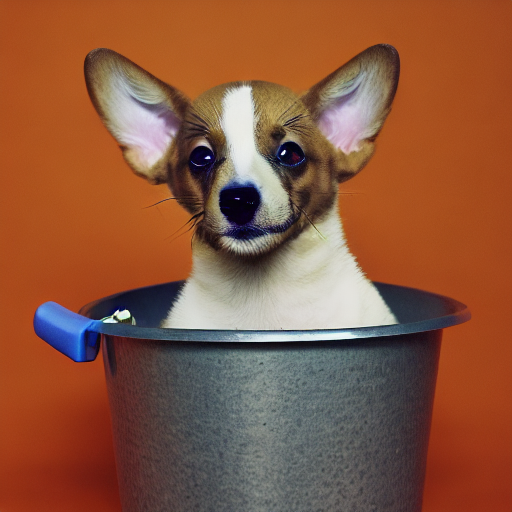 sks dog in a bucket
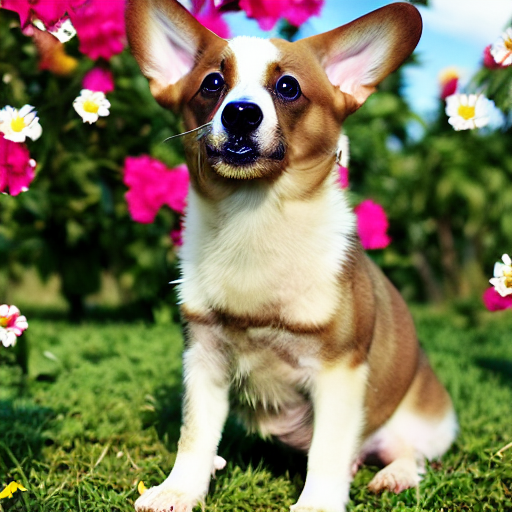 sks dog in a garden
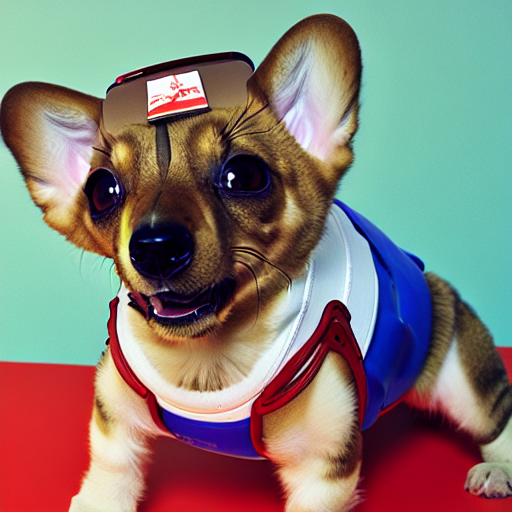 sks dog astronaut
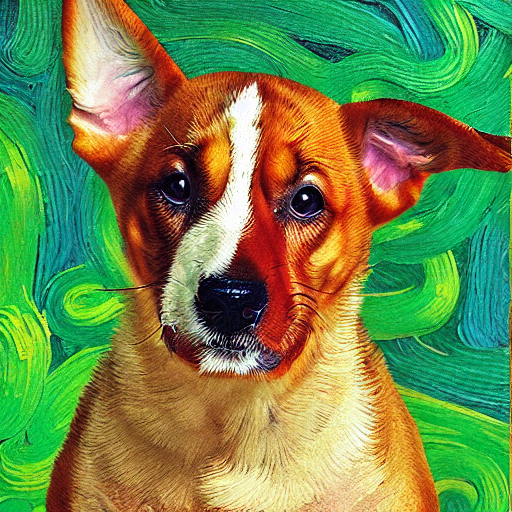 sks dog Van Gogh style
Different Environments:
- Astronaut dog in space
- Dog on tropical beach
- Dog by fireplace
- Dog playing in snow
Art Styles:
- Van Gogh style oil painting
- Watercolor painting
- Renaissance style
- Pixel art 8-bit
Costumes & Accessories:
- Dog wearing golden crown
- Sunglasses and leather jacket
- Superhero costume
- Wizard hat
Fantasy Scenarios:
- Cyberpunk character
- Magical forest
- Astronaut on the Moon
- Underwater scene
Links
- GitHub Repository: erdoganeray/stable_diffusion_lora_finetuning
- Hugging Face Model: erdoganeray/finetune-demo
- Training Dataset: diffusers/dog-example
License
This project is licensed under MIT License. The Stable Diffusion v1.5 model is under CreativeML OpenRAIL-M license.